
 DanglioLucky charms for your screen
A lucky charm for your screen.
Danglio hangs a little charm from the top of your screen. Nudge it and it swings, tap it and it sparkles, and it rests quietly while you work. Go on, give this one a pull.

Pull it and let go
See it on your screen
Pick a charm. It hangs right away.
One small window to choose your charm. After that, Danglio stays out of your way: clicks pass straight through to your work.
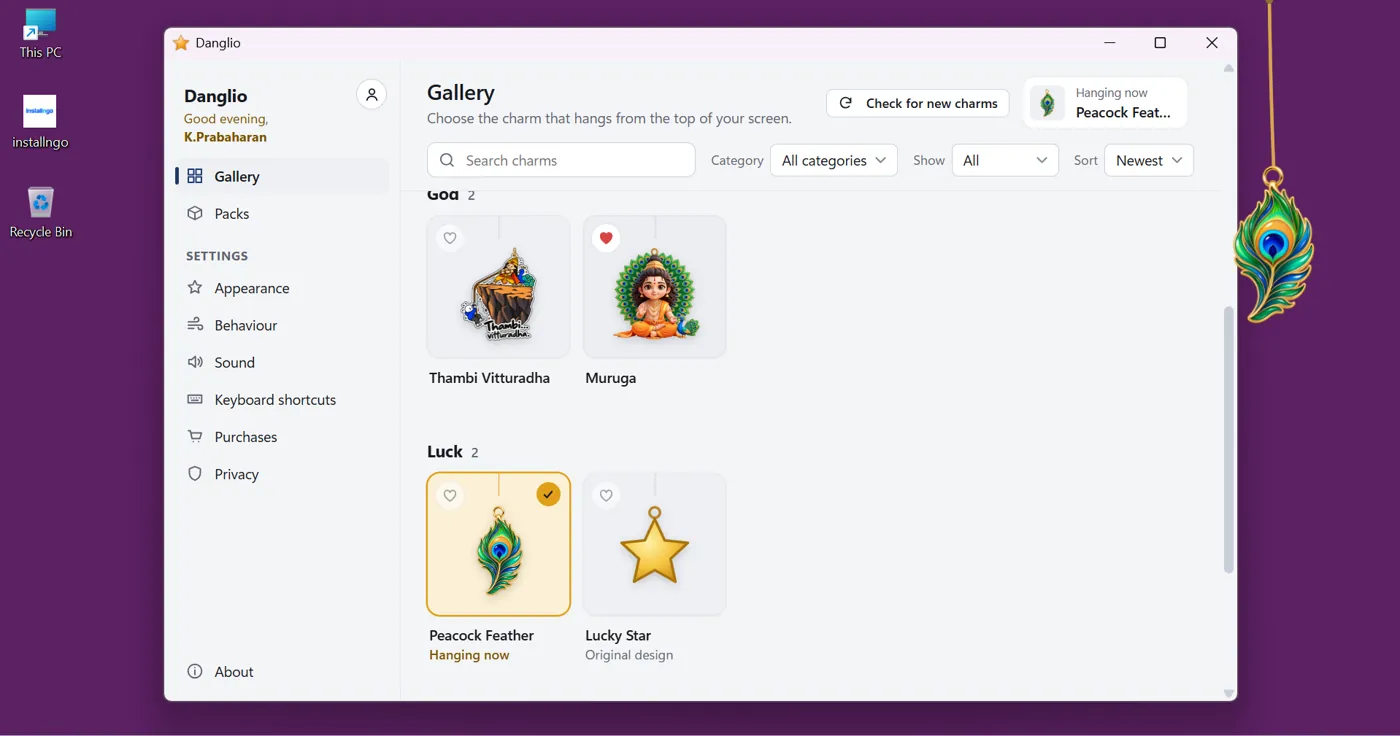
- Choose from the gallerySearch, filter by kind, and keep favourites close.
- It hangs from the topOn any screen, anywhere along the top edge.
- Then it gets out of the wayHide it from the tray or with a shortcut.
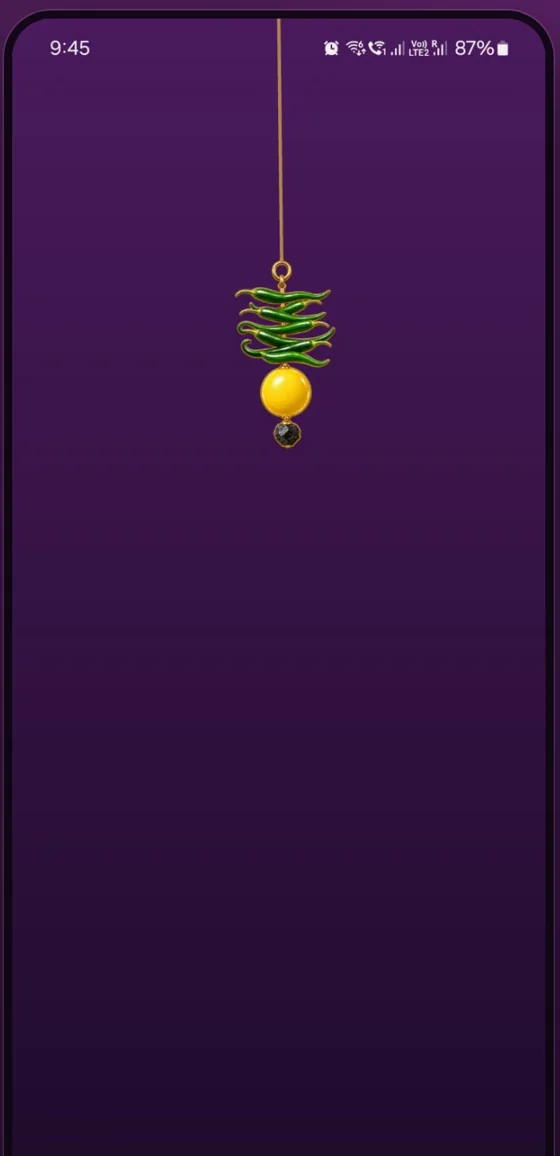
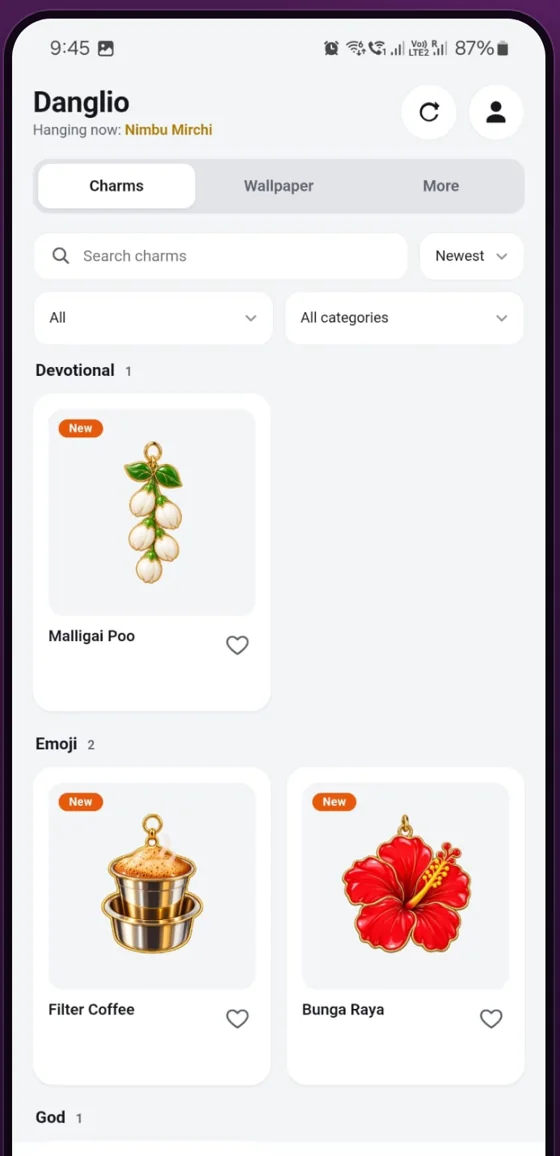
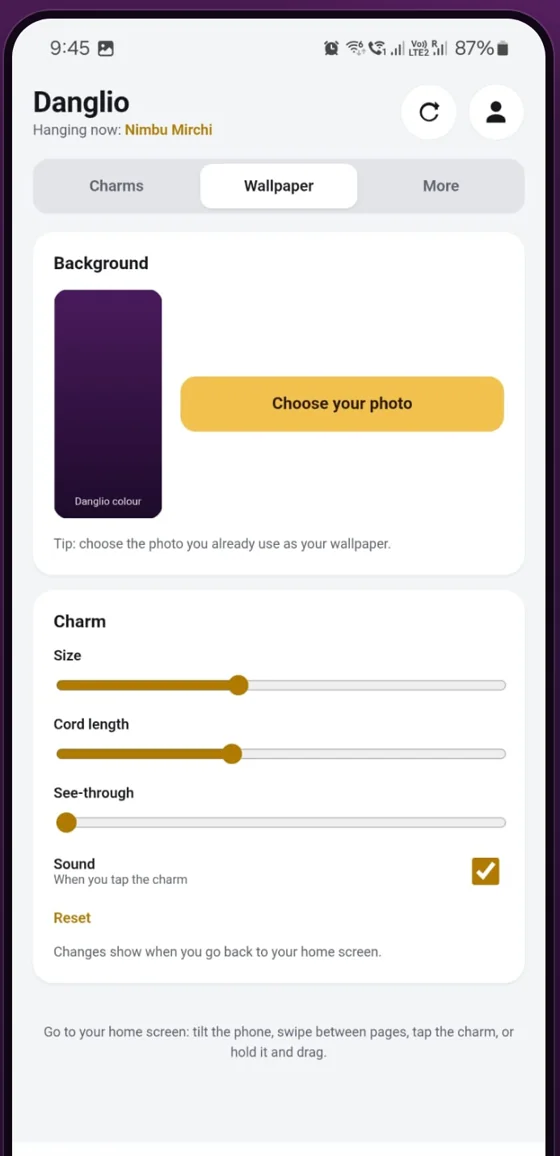
Simple by design
Ready in a minute
Install
From the Microsoft Store on Windows, or a direct download on Mac.
Pick a charm
Open the gallery and choose one. Free charms are included.
Pull, flick, tap
It swings with real weight, and every charm has its own little ritual.
The collection
A charm for every wish
Charms from India and around the world, for protection, luck, devotion and plain fun. New ones appear straight in the app, no update needed.
 Peacock FeatherLuck
 HamsaProtection
 Malligai PooDevotional
 Filter CoffeeEveryday fun
 Bunga RayaEveryday fun
 Lucky StarLuck
- Protection
- Luck & prosperity
- Devotional
- Festivals
- Everyday fun
- Themed packs
New charms, any day. Sometimes a surprise.
We release new charms whenever they're ready: for festivals, special days, or just because. Danglio lets you know the moment they arrive, and every now and then we'll surprise you with one you didn't see coming.
Made for your desktop
Lively when you play,
invisible when you work
Real physics
Weight, swing and bounce. Pull it, flick it, let it go.
Tap for a ritual
Every charm has its own moment, with sparkles and sound.
Never in the way
Clicks pass straight through. Only the charm itself responds.
Steps aside for full screen
Fades away for videos, games and slideshows, then comes back.
Light on your computer
It sleeps when it's still, so it uses almost no power.
In your language
English, தமிழ், हिन्दी and Bahasa Melayu.
Get Danglio
Download for your device
Free on every device. Pick yours below.
-
Windows
AvailableWindows 10 (version 2004) or Windows 11. From the Microsoft Store, so updates arrive by themselves.
Get it from Microsoft Store -
Mac
AvailablemacOS 11 or newer, on Apple silicon and Intel Macs. A direct download.
Download for MacFirst time opening it?
- Open Danglio.dmg and drag Danglio into Applications.
- Open Danglio. If macOS says it can't check the app, click Done.
- Go to System Settings → Privacy & Security and click Open Anyway next to Danglio.
- Done. From now on it opens normally.
-
Android
TestingIn testing on Google Play. Three quick steps, in this order, with the Google account on your phone:
- 1Join the tester groupTap Join group, then come back here.
- 2Accept the testTap Become a tester.
- 3Install from Google PlayIt can take a few minutes to appear after step 2.
Please keep it for 14 days and tell us what you think.
Not on iPhone or iPad yet. Tell us if you'd like it there.
Free
Free. Every charm.
Danglio and its whole collection are free right now. Just install it and pick a charm.
- Every charm free
- No ads, ever
- No tracking
- No sign-up needed
Questions
Good questions, short answers
Is Danglio free?
Yes. Danglio and its charms are free right now, with no ads.
Which devices does it run on?
Windows 10 and 11 (Microsoft Store) and Mac (macOS 11 or newer). Android is in testing on Google Play, and you can join as a tester.
Why does my Mac ask before opening it?
The Mac download isn't notarised by Apple yet, so macOS asks you to confirm the first time. It's safe: follow the four quick steps once, and it opens normally after that.
Will it slow my computer down?
No. Danglio sleeps whenever the charm is still and uses almost no power or memory.
Will it get in the way of my work?
No. Clicks pass straight through to whatever is underneath; only the charm responds. Hide it any time from the tray or with a keyboard shortcut.
Do I need an account?
No. Install it, pick a charm and it hangs right away.
How do I get help?
Email installngo.official@gmail.com. A real person replies, usually within two working days.
Hang your first charm today.
Free to download. New charms and festival drops all year.